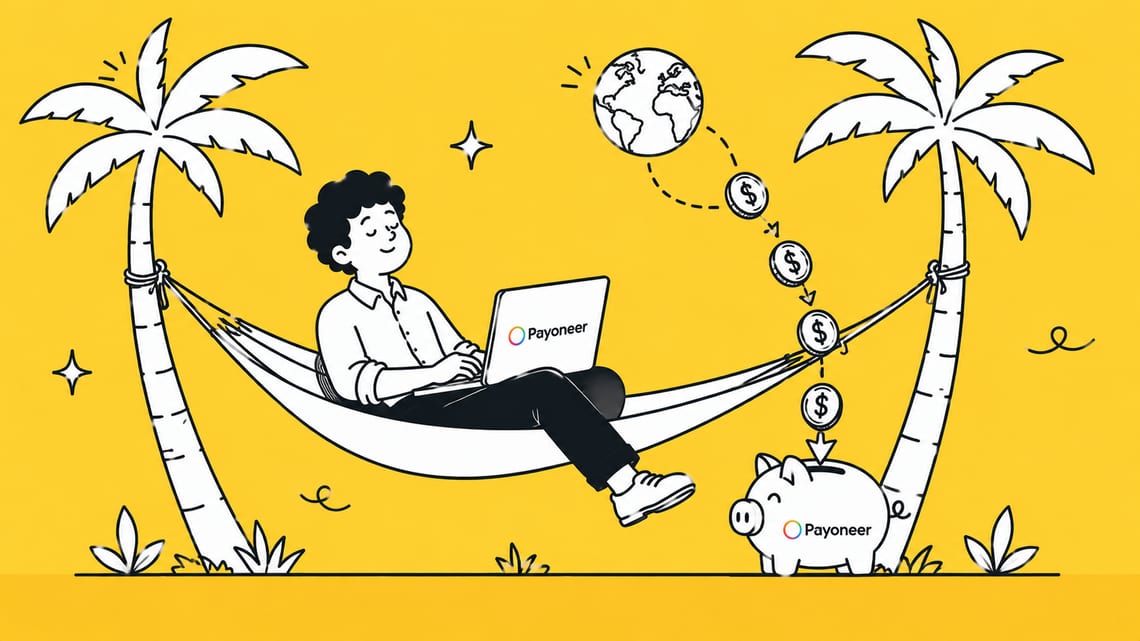
A Payoneer account lets Sri Lankan freelancers, online sellers, and business owners receive payments from international clients, marketplaces, and platforms without needing a foreign bank account.
In 2026, Payoneer remains one of the most practical ways to get paid in USD, EUR, or GBP and withdraw those earnings directly to a local bank account, especially since PayPal’s local rollout and other alternatives each come with their own limitations. Whether you work through Fiverr, Upwork, Amazon, or invoice clients directly, understanding how Payoneer works in Sri Lanka can save you time, money, and unnecessary account issues.
In this guide, we’ll walk you through everything you need to know, from opening your account the right way to linking your bank, understanding fees, receiving and withdrawing payments, and solving common problems along the way. Let’s get started.
What Is a Payoneer Account?
A Payoneer account is a digital account that lets you receive and send money across borders without needing a foreign bank account. It works like an online wallet built for freelancers, online sellers, and businesses that get paid by clients or platforms outside Sri Lanka.
With a Payoneer account, you get virtual receiving accounts in currencies like USD, EUR, and GBP. This means your overseas client or platform can pay you the same way they’d pay a local bank account in their own country, even though you’re based in Sri Lanka.
Payoneer is widely used because major companies and marketplaces already support it as a payment option, including Fiverr, Upwork, Amazon, Airbnb, and Google. If you earn income from any of these platforms, chances are Payoneer already comes up as one of your payout choices.
Once money lands in your Payoneer account, you can withdraw it to your local Sri Lankan bank account, spend it using the Payoneer Mastercard, or send it to someone else. For Sri Lankans working with international clients, it’s one of the few practical ways to get paid in foreign currency without dealing with expensive bank wire transfers.
Is Payoneer Available in Sri Lanka in 2026?
Yes, Payoneer is available in Sri Lanka in 2026, for both existing and new users. Existing account holders can continue using all standard features, including receiving payments, withdrawing to local banks, and using the Payoneer Mastercard.
For new sign-ups, the process depends heavily on documentation. Payoneer needs to verify your identity and the legitimacy of your income source, so you’ll need to provide provable documents, such as your NIC or passport, proof of address, and evidence that you’re actually earning from freelance work or a business.
This is where signing up through a platform makes a real difference. When you register through Fiverr, Upwork, Amazon, or a similar marketplace, that platform’s trust backs your application. Payoneer can see you’re a verified user on an established platform, which makes approval smoother and faster.
If you sign up directly on payoneer.com without that platform backing, you may face more scrutiny and requests for additional proof, since Payoneer has no third party confirming your income source. Either way, being ready with proper documentation upfront is the key to getting approved without delays.
Benefits of Using Payoneer in Sri Lanka
Payoneer solves a real problem for Sri Lankans. It lets you get paid in foreign currency without expensive bank wires or unreliable local options. Here’s why it stands out.
- Receive payments from anywhere: Get paid by international clients, freelance platforms, or marketplaces using virtual USD, EUR, or GBP accounts, as if you had a local bank account in that country.
- Lower fees than bank transfers: Compared to traditional wire transfers, Payoneer’s fees are generally lower, especially for freelancers receiving smaller, frequent payments.
- Payoneer Mastercard: Withdraw cash directly from ATMs or shop online and in stores using your Payoneer balance, without first moving funds to your bank.
- Multi-currency support: Hold and manage balances in different currencies instead of converting everything immediately.
- Trusted by major platforms: Fiverr, Upwork, Amazon, Airbnb, and Google all support Payoneer, so it fits naturally into how most freelancers already get paid.
- Easy local withdrawals: Move your balance directly to your Sri Lankan bank account in LKR whenever you need it.
For freelancers and small business owners without access to PayPal or other payment gateways, Payoneer remains one of the most practical ways to work with international clients.
Documents Required to Open a Payoneer Account
Before you start the sign-up process, it helps to have these documents ready so there are no delays in approval.
- Government-issued ID: A valid National Identity Card (NIC) or passport. Make sure it hasn’t expired and that all details match exactly what you enter during registration.
- Proof of address: A recent utility bill, bank statement, or official document showing your name and residential address in Sri Lanka.
- Sri Lankan bank account details: Your bank account information is needed to withdraw funds later. The account holder name should match your registration details.
- Business information: If you’re registering as a company, you’ll need your business name and relevant registration documents. If you’re signing up as an individual with an unregistered business, your first and last name is used instead.
- Proof of income or work: If you’re signing up through a platform like Fiverr or Upwork, that platform’s trust already supports your application. If signing up directly, Payoneer may ask for evidence of your freelance work or client relationships.
Having these documents ready in advance makes the verification process faster and reduces the chance of your application getting delayed or rejected.
How to Open a Payoneer Account in Sri Lanka (Step-by-Step)
There are two ways to open a Payoneer account from Sri Lanka, and which one you choose matters. Payoneer needs to verify your identity and the legitimacy of your income source. When you sign up through a platform, that platform’s trust backs your application and speeds up approval. But, Payoneer has to verify everything based on your documents alone when you sign up directly.
Here’s how both methods work.
Method 1: Sign Up Through a Freelance Platform (Recommended)
This is the most reliable path for individuals in Sri Lanka, since the platform’s trust backs your application and speeds up approval.
- Log in to your account on the platform (Fiverr, Upwork, Amazon, etc.).
- Go to Settings or Payments, then find Payment Methods.
- Select Payoneer as your payment method.
- The platform redirects you to Payoneer’s sign-up page automatically.
- Fill in your personal details exactly as they appear on your NIC or passport.
- Add your contact details and Sri Lankan bank account information.
- Set your password and security question.
- Submit and wait for Payoneer’s approval email.
Method 2: Direct Sign-Up on Payoneer’s Website
On the homepage, start by clicking “Register”. You’ll then see two options:
- Option 1: Click “Get our full range of global payment services” under the “To get paid, send payments, and more” section.
- Option 2: Click “Pay via card, PayPal, or bank transfer” under the “To send payments only” section.
This route asks for a business email to begin, though a regular email address works fine too.
- Enter your email address to start.
- Check your inbox for a verification email and click the link to confirm.
- Select your country: Choose Sri Lanka.
- Business info: Choose Registered company (enter your business name) or Unregistered business (enter your first and last name instead).
- Mobile number verification: Choose to receive your code by WhatsApp or SMS
- Set a password for your account.
Once these initial steps are complete, Payoneer moves into document verification, asking for your ID and any supporting documents, before your account gets final approval.
How to Link Payoneer to Your Sri Lankan Bank Account
Once your Payoneer account is approved, the next step is linking it to your local bank account so you can withdraw your balance whenever you need it.
- Log in to your Payoneer account
- Go to the Withdraw or Bank Accounts section
- Click Add Bank Account
- Select Sri Lanka as the country
- Choose your bank from the list of supported banks (Payoneer supports most major Sri Lankan banks, including Bank of Ceylon, Sampath Bank, Commercial Bank, and others)
- Enter your bank account details, including account number and branch information
- Make sure the account holder name matches your Payoneer profile name exactly
- Submit the details for verification
Payoneer usually takes a short time to verify and activate the linked bank account. Once it’s active, you can withdraw your balance directly to your bank in LKR whenever you choose. If the account holder name doesn’t match your Payoneer registration, you may be asked to submit extra documents to confirm the account belongs to you, so double check this before submitting.
Payoneer Fees in Sri Lanka
Payoneer doesn’t charge a flat fee for everything. Instead, costs depend on how you receive, withdraw, or spend your money. Here’s a breakdown of the main fees to expect, based on Payoneer’s official pricing.
Receiving Payments
| Payment Source | Fee |
| From another Payoneer user’s balance | Free |
| From marketplaces or platforms (Fiverr, Upwork, etc.) | Varies by platform |
| Via a receiving account in your local currency | Free |
| Via a receiving account in a foreign currency | 1% (minimum 1.00 USD) |
| From a client paying by credit card | Up to 3.99% + 0.49 USD |
Withdrawing to Your Sri Lankan Bank Account
| Withdrawal Type | Fee |
| To local currency, no conversion | 1.2% – 4% |
| To a different currency, with conversion | 1.2% – 4% |
Payoneer Mastercard
| Transaction | Fee |
| Card purchases, no currency conversion | Up to 1.8% |
| Card purchases with currency conversion | Up to 3.5% |
| ATM cash withdrawal | ~3.15 USD + up to 1.8%–3.5% |
| Annual card fee | 29.95 USD |
| Additional virtual cards | Free |
Other Fees
| Type | Fee |
| Moving funds between currency balances | 0.50% |
| Annual account fee (only if account receives under 6,000 USD in 12 months) | 29.95 USD |
Since fees can shift based on payment method, currency, and account type, it’s worth checking the Fees section inside your Payoneer account for the exact rates that apply to you.
[Source: https://www.payoneer.com/about/pricing/]
How to Receive Payments Through Payoneer
Once your account is set up, receiving money through Payoneer is straightforward. Here are the main ways Sri Lankans typically get paid.
- From freelance platforms and marketplaces: If you work through Fiverr, Upwork, Amazon, or similar platforms, payments are sent directly to your Payoneer balance once the platform processes your payout. You don’t need to do anything extra. The money simply appears in your account after the platform’s usual payment cycle.
- From direct clients using a receiving account: Payoneer gives you virtual receiving accounts in currencies like USD, EUR, and GBP. You share these account details with your client, and they pay you as if they were paying a local bank account in their own country. This works well for freelancers who invoice clients directly rather than through a platform.
- By sending a payment request: If a client isn’t on Payoneer, you can send them a payment request by email. They can then pay using a credit card, bank transfer, or other supported methods, and the funds land in your Payoneer balance.
- From another Payoneer user: If your client already has a Payoneer account, they can send money directly to your balance at no cost.
Once the payment reaches your Payoneer account, you can hold it in that currency, withdraw it to your Sri Lankan bank account, or spend it using your Payoneer Mastercard.
How to Withdraw Money from Payoneer to Your Bank
Once you have a balance in your Payoneer account, moving it to your Sri Lankan bank account takes just a few steps.
- Log in to your Payoneer account
- Go to the Withdraw section
- Select To Bank Account
- Choose the linked Sri Lankan bank account you want to withdraw to
- Enter the amount you want to withdraw
- Review the exchange rate and fee shown before confirming
- Confirm the withdrawal
Payoneer converts your balance to LKR at the time of withdrawal, since Sri Lankan banks receive funds in local currency. The exact fee depends on the currency you’re withdrawing from and the bank you’re sending it to, so it’s worth checking the fee shown on the confirmation screen before you proceed.
Processing time: Withdrawals to Sri Lankan banks usually take a few business days to reflect in your account, though this can vary depending on your bank.
A few tips:
- Make sure your linked bank account details are correct before confirming, since incorrect details can delay or fail the transfer.
- Withdraw in batches if you’re moving a large sum, since smaller regular withdrawals can sometimes work out cheaper than one large one, depending on the fee structure.
- Keep an eye on the exchange rate shown, as it updates in real time and can shift slightly between sessions.
Does Payoneer Offer Mastercard for Sri Lankan Users
Yes, Payoneer offers a prepaid Mastercard for Sri Lankan users, and it’s one of the most useful features of the platform for freelancers who need easy access to their earnings.
The Payoneer Mastercard lets you spend directly from your Payoneer balance. You can use it to shop online, pay in stores, and withdraw cash from ATMs anywhere Mastercard is accepted, without first transferring the money to your bank.
1. Eligibility:
You need to have received a minimum of 100 USD in payments to your Payoneer account within the last 6 months to qualify. This threshold can vary depending on your country.
2. How to order it:
- Sign in to your Payoneer account
- Select Cards from the side menu
- If you’re eligible, you’ll see an option to Order new card
- Follow the instructions to complete your card request
If you’re not eligible yet, Payoneer will show you the requirement you still need to meet.
3. Card fees to know:
- Standard card delivery: Free
- Annual card fee: 29.95 USD
- Additional virtual cards: Free
- ATM withdrawals: A fixed fee plus a percentage, depending on currency
Once your card arrives and is activated, it works like any other debit card linked directly to your Payoneer balance, giving you a straightforward way to use your international earnings locally.
Payoneer vs PayPal for Sri Lankans
Both platforms are now usable in Sri Lanka, but they work quite differently, especially after PayPal’s full launch in the country in May 2026. Here’s how they compare.
| Feature | Payoneer | PayPal |
| Availability in Sri Lanka | Available, though direct sign-up can be inconsistent | Fully available since May 15, 2026 |
| Marketplace integration | Built directly into Fiverr, Upwork, Amazon, and most major freelance platforms | Not natively integrated with most freelance platforms |
| Receiving payments | Virtual receiving accounts in USD, EUR, GBP, and more | Can now receive international payments, but only cross-border, not from other PayPal users inside Sri Lanka |
| Withdrawing to local bank | Withdraw directly to any linked Sri Lankan bank account | Withdrawal requires your account to be linked to a partner bank (Bank of Ceylon, Commercial Bank, or Sampath Bank) |
| Currency support | True multi-currency account | Mainly built around USD for Sri Lankan users |
| Prepaid card | Payoneer Mastercard available for spending and ATM withdrawals | No card option for Sri Lankan users |
| Best suited for | Freelancers paid through marketplaces | Freelancers and businesses invoicing direct overseas clients |
If most of your income comes from platforms like Fiverr, Upwork, or Amazon, Payoneer remains the stronger choice since it’s built into their payout systems.
On the other hand, if you invoice clients directly and just need a reliable way to receive and withdraw international payments, PayPal is now a real option too, since its full receiving and withdrawal features finally went live in Sri Lanka through local partner banks.
One thing to keep in mind: PayPal’s Sri Lanka rollout is still fairly new, so fees and processing times through the partner banks are still settling. It’s worth checking your bank’s PayPal section for the latest details before relying on it for large transactions.
For a full three-way breakdown including fees, exchange rates, and which platform suits your income type, read our complete Payoneer vs Wise vs PayPal guide for Sri Lankan freelancers.
Common Problems and How to Solve Them
Even with everything set up correctly, Sri Lankan users run into a few recurring issues with Payoneer. Here’s how to handle the most common ones.
- Country not showing during direct sign-up: Some users find Sri Lanka missing when they try to register directly on payoneer.com. If this happens, sign up through a platform like Fiverr, Upwork, or Amazon instead, since these routes tend to work more reliably for Sri Lankan users.
- Account stuck in verification for a long time: This usually happens when the documents submitted don’t clearly match the details entered during sign-up. Double check that your name, date of birth, and address are identical across your ID, your bank account, and your Payoneer profile. If it’s been more than a few weeks, contact Payoneer support directly through live chat.
- Bank account linking fails or gets flagged; This often happens when the account holder name on your bank account doesn’t match your Payoneer profile name. Make sure both match exactly, and if you’re using a business account, register your Payoneer account as a company rather than an individual.
- Account locked after failed login attempts: Entering the wrong password three times in a row locks your account for 30 minutes. Simply wait it out, then try again with the correct details. If you’ve genuinely forgotten your password, use the Forgot Password option on the sign-in page.
- Card eligibility not showing: You need at least 100 USD in received payments over the past 6 months before Payoneer allows you to order a Mastercard. If you haven’t hit that threshold yet, the eligibility message will tell you exactly what’s missing.
- Unexpected inactivity fee: If your account sits unused for a long stretch, Payoneer may apply an inactivity fee. Log in and make at least one transaction periodically to keep your account active and avoid this.
- Application rejected without a clear reason; Contact Payoneer support and ask for details. Rejections are often tied to mismatched documents, unclear proof of income, or incomplete information, so a quick correction and resubmission usually resolves it.
If none of these fixes work, reaching out to Payoneer’s support through live chat or email is usually faster than waiting, since account-specific issues often need a human to look into them.
Tips for Sri Lankan Freelancers Using Payoneer
A few small habits can save you money and headaches when using Payoneer long term. Here are the ones worth keeping in mind.
- Keep your account active: Log in and make at least one transaction every few months, even a small one. This helps you avoid the inactivity fee and keeps your account in good standing.
- Match your details everywhere: Your name, address, and date of birth should be identical across your NIC or passport, your bank account, and your Payoneer profile. Mismatched details are the most common reason for delays and rejected withdrawals.
- Withdraw in batches, not constantly: Since withdrawal fees are often percentage-based, moving larger amounts less frequently can work out cheaper than withdrawing small sums every few days.
- Watch the exchange rate before withdrawing: Payoneer converts your balance to LKR at the time of withdrawal, and rates shift throughout the day. Check the rate shown on the confirmation screen before you confirm a large withdrawal.
- Use receiving accounts for direct clients: If you invoice clients directly instead of working through a platform, set up a receiving account in their currency. It lets them pay you like a local bank transfer, which is usually cheaper and faster than a wire transfer.
- Keep proof of your freelance income: Save invoices, contracts, or platform payout records. If Payoneer ever asks for additional verification, having this ready speeds things up significantly.
- Sign up through a platform if you’re not sure about direct registration: If you’re just starting out and don’t already have a Payoneer account, going through Fiverr, Upwork, or a similar platform gives your application more trust backing and a smoother approval process.
- Order your Mastercard once you’re eligible: Once you’ve received at least 100 USD in payments over 6 months, order the Payoneer Mastercard. It gives you a simple way to spend or withdraw cash without waiting for a bank transfer.
- Check fees before large transactions: Fees vary by currency, payment method, and transaction type. A quick check in the Fees section of your account can save you from unexpected costs, especially on bigger payments.
- Keep your security details safe: Use a strong password and don’t reuse it elsewhere. Since your Payoneer account holds real money, treat its login credentials the same way you would treat your bank account.
Outgrowing Payoneer? Here’s What Comes Next
Payoneer works well when you’re starting out, but as your income grows, you may start running into its limits, like high card fees, currency conversion costs, or clients who expect Stripe or PayPal invoicing instead. Many Sri Lankan freelancers and online sellers eventually register a US LLC or UK company to unlock Stripe, business banking, and lower-fee payment options that Payoneer alone can’t offer.
Our team at BR.LK can help you set this up in 24-48 hours, handling your US LLC or UK company formation, EIN, registered agent, and Stripe account setup, so you can accept payments the way established international freelancers and businesses do.
Conclusion
Payoneer remains one of the most practical ways for Sri Lankans to receive international payments in 2026, whether you work through Fiverr, Upwork, Amazon, or invoice clients directly. Getting started the right way, whether through a platform or Payoneer’s direct sign-up, and keeping your documents and bank details in order, makes the entire process far smoother.
That said, Payoneer isn’t the only option, and it may not be the last stop as your income grows. As you scale, tools like PayPal, Wise, or a properly registered US LLC with Stripe access can open up lower fees and more flexibility. The right setup depends on how you get paid and how big your business is becoming.
If you’re ready to move beyond Payoneer’s limits, BR.LK can help you register a US LLC or UK company and unlock Stripe, business banking, and more, so your payment setup can grow alongside your business.
Key Takeaways
- A Payoneer account lets Sri Lankans receive international payments in USD, EUR, and GBP without needing a foreign bank account.
- Payoneer is widely supported by major platforms like Fiverr, Upwork, Amazon, and Airbnb, making it a natural payout option for freelancers.
- You can open a Payoneer account either through a freelance platform or directly on Payoneer’s website, and the platform route usually gets approved faster.
- Payoneer requires provable documents like your NIC or passport, proof of address, and evidence of income, so having these ready in advance speeds up approval.
- Signing up through a marketplace gives your application extra trust backing, since Payoneer can verify you’re an active user on an established platform.
- Linking your Sri Lankan bank account lets you withdraw your Payoneer balance directly in LKR whenever you need it.
- Payoneer’s fees vary depending on the payment method, currency, and transaction type, so checking the Fees section before large transactions helps avoid surprises.
- The Payoneer Mastercard becomes available once you’ve received at least 100 USD in payments over 6 months, giving you a way to spend or withdraw cash instantly.
- PayPal’s full launch in Sri Lanka in May 2026 makes it a viable alternative for direct client invoicing, though it still can’t match Payoneer’s marketplace integration.
- As your freelance income grows, moving beyond Payoneer to options like a registered US LLC with Stripe access can unlock lower fees and more flexibility.
FAQs
Approval usually takes a few days once you submit accurate documents, but it can stretch to a few weeks if your details don’t match across your ID, bank account, and Payoneer profile. Signing up through a platform tends to speed up the process compared to registering directly.
Yes, Payoneer is a regulated financial services company that uses encryption and identity verification to protect user accounts and funds. It’s used by millions worldwide and major platforms like Fiverr and Upwork. Staying safe also depends on using a strong password and avoiding sharing your login details.
Yes, using Payoneer is legal for Sri Lankans receiving international payments. However, freelancers and business owners are expected to comply with Central Bank of Sri Lanka regulations around foreign currency earnings, so registering as a business may be required for larger or recurring income depending on your situation.
Payoneer doesn’t set a strict global minimum for withdrawals, but very small amounts may not be cost-effective once fees are applied. It’s usually more practical to let your balance build up before withdrawing, since percentage-based fees can eat into very small transfers disproportionately.
Yes, as a regulated financial institution, Payoneer may report account activity and income to relevant tax authorities where required by law. Sri Lankan freelancers earning foreign income should keep accurate records and stay compliant with local tax regulations regardless of which payment platform they use.
The main drawbacks are the fees, which can add up with currency conversion and withdrawals, plus inconsistent direct sign-up for new Sri Lankan users. The annual account and card fees can also affect low-activity users, so it’s worth comparing costs against alternatives like PayPal or Wise.
Yes, Payoneer lets you send money to other Payoneer users or to a bank account internationally. Fees depend on whether the transfer stays within the same currency or requires conversion, and whether the recipient is in the same or a different country from you.
No, Payoneer doesn’t withdraw funds automatically by default. You need to manually initiate a withdrawal from your balance to your linked bank account. Some account types may offer automatic withdrawal settings, but this isn’t the standard behavior for individual Sri Lankan accounts.